How to Search Candidates Using Keywords and Filters?
The WorkAbroad.ph Talent Sourcing feature lets you search potential candidates based on your preferences from Workabroad.ph talent pool.
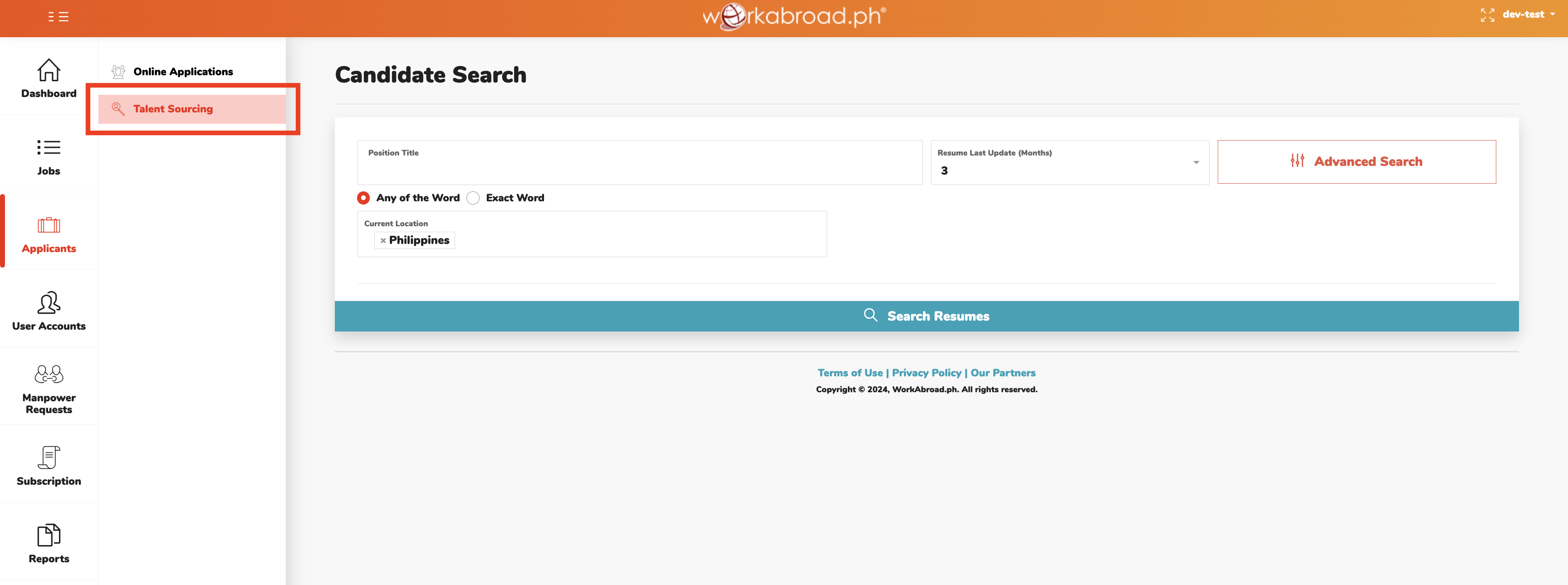
1. From your Hirer' Recruitment Dashboard homepage, click 'Applicants' in the menu, then 'Talent Sourcing' tab, or simply click 'Talent Sourcing' from dashboard Quick Links.
2. On the Candidate Search page, type in 'Position Title' in the field provided.
3. Tick either Any of the Word or Exact Word to match your search.
Tip: You may use synonymous or similar in nature position titles. It will help populate more suitable match.
Example:
Looking for Sales Associate -> other similar or commonly used position titles: Saleslady, Salesman, Sales Assistant, Sales Clerk
4. The 'Current Location' field, by default, reflects “Philippines” as this is used to filter candidates who are currently in the country. To tap candidates outside the Philippines, select preferred country from the dropdown options.
5. For recent results, “3 months” is reflected in the 'Resume Last Update' field. Choose from the options to expand your search range. But the more recent, the more likely the candidates are looking for a job.
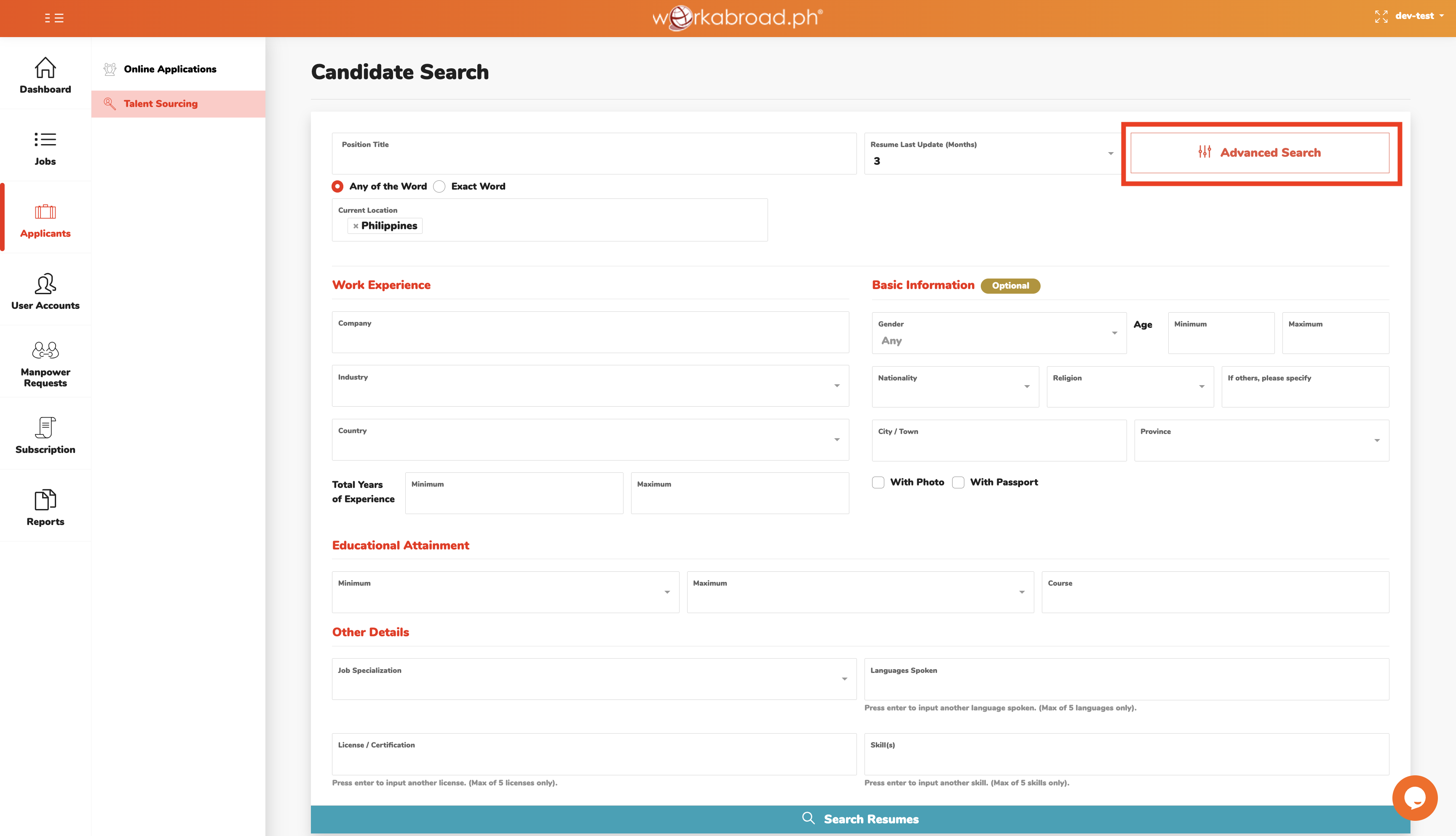
6. To refine your search, use more filters - Work Experience, Basic Information, Educational Attainment, and other details such as Job Specialization, License / Certification and Skills - by clicking 'Advanced Search'.
7. Click 'Search Resumes'.
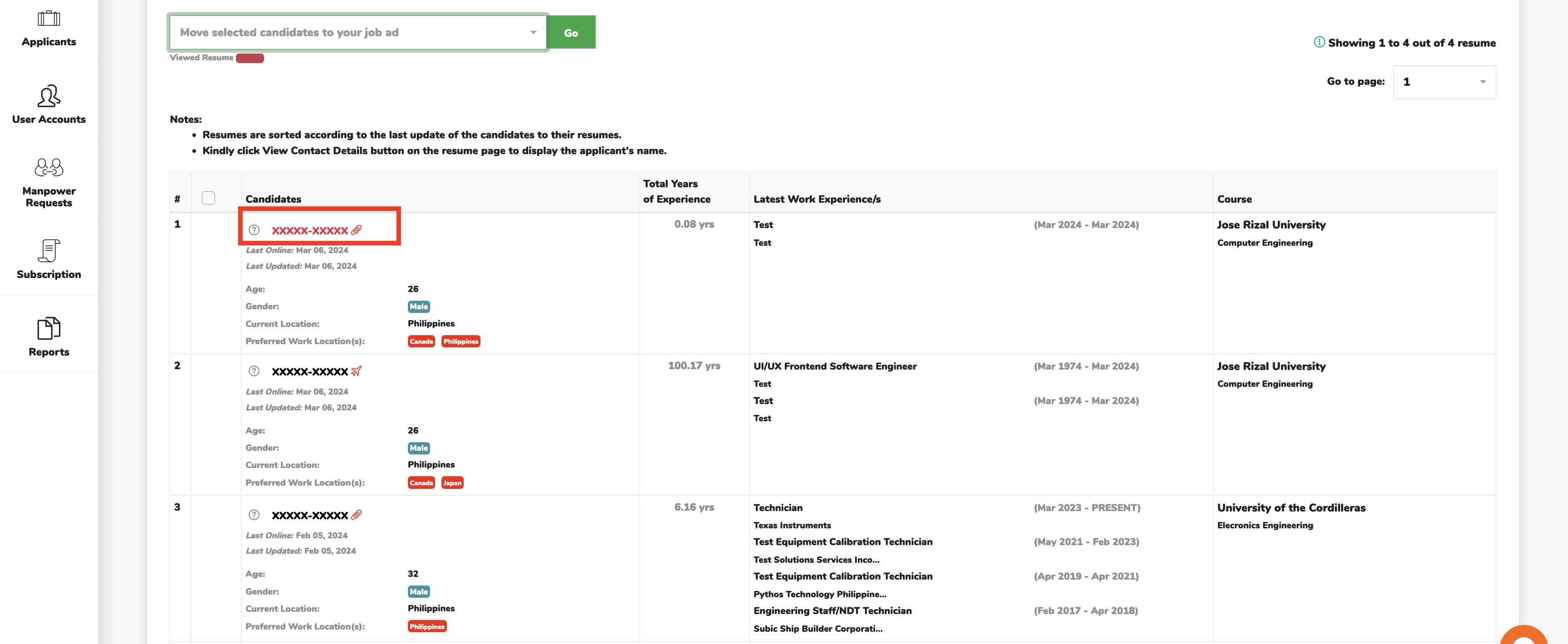
8. From the search results, quickly screen candidates based on the information summary reflected – current location, preferred work location, total years of experience, latest position, and course.
9. View candidate’s CV by clicking XXXXX-XXXXX, which will be opened in a new browser tab.
10. Review candidate’s profile and click 'View Contact Details' only when it has matched your job requirements.

11. For a more efficient screening process, make use of these tools:
- Post Comment - input notes which may be used as reference of other recruiters in your agency.
- Move Candidate to Job Post – keep sourced candidates in appropriate job folder for easier monitoring.
- Attached Resume – view CV aside from candidate’s Workabroad.ph profile.
- Save as Word or Save as PDF – save online resume in your computer.
