How to Upload Our Agency Logo and DMW (formerly POEA) license?

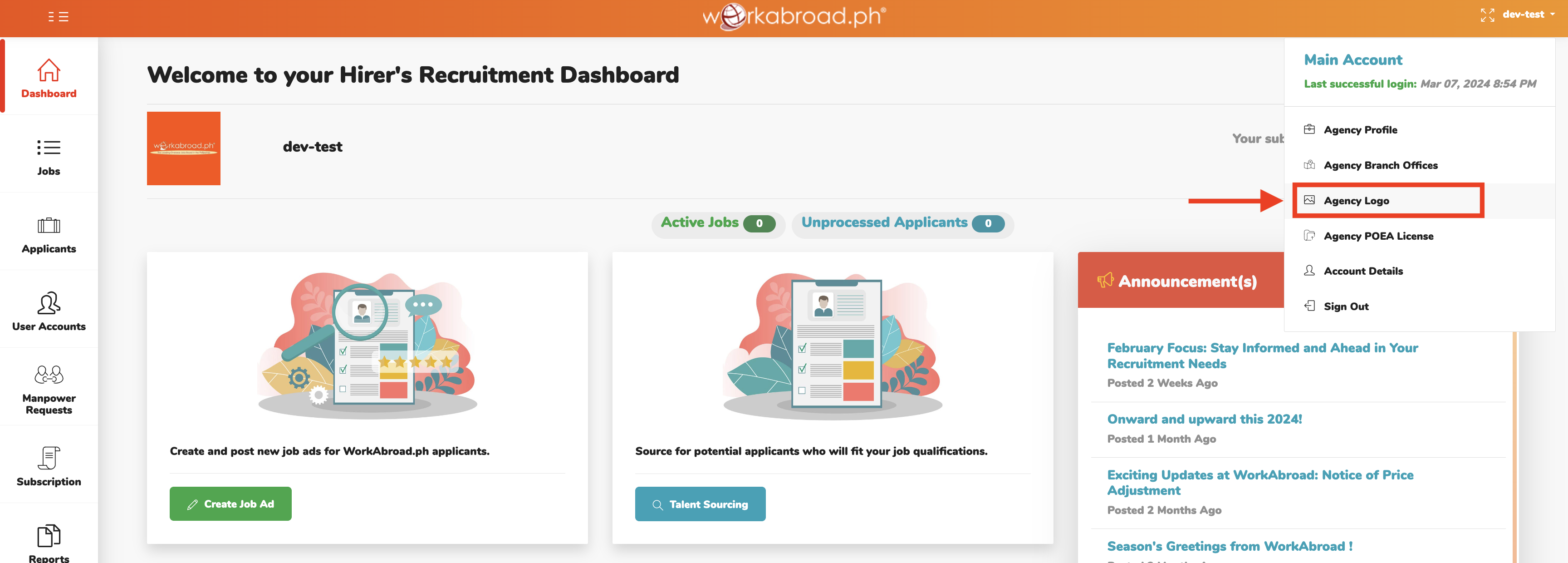
1. On the upper right corner of your Hirers’ Recruitment Dashboard homepage, click your 'Login ID' and choose 'Agency Logo' from the dropdown menu.
2. Click 'Choose File' or 'Browse' and select the logo file from your computer.
3. Move the toggle from left to right to capture the correct focus. Be guided with the logo requirements.
4. Click 'Submit' once done, while 'Cancel' to discard the upload.
How to Upload / Update / Remove POEA License
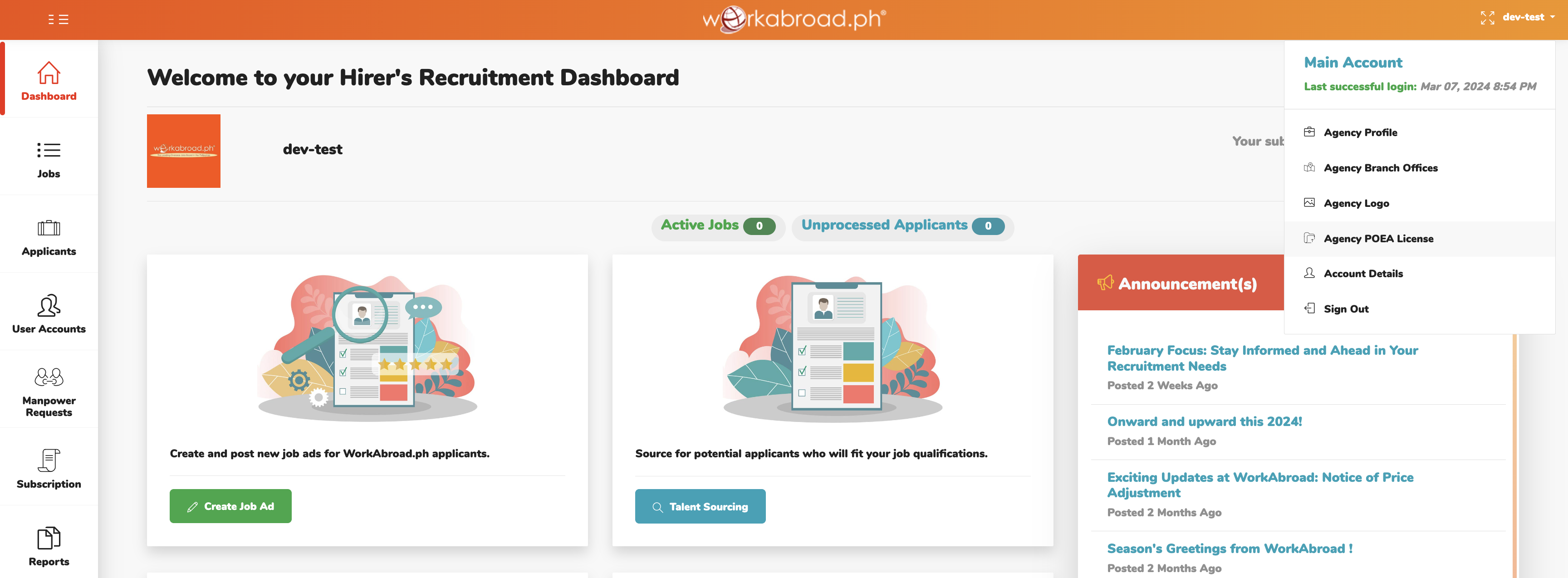
1. On the upper right corner of your Hirers’ Recruitment Dashboard homepage, click your 'Login ID' and choose 'Agency DMW (formerly POEA) License' from the dropdown menu.
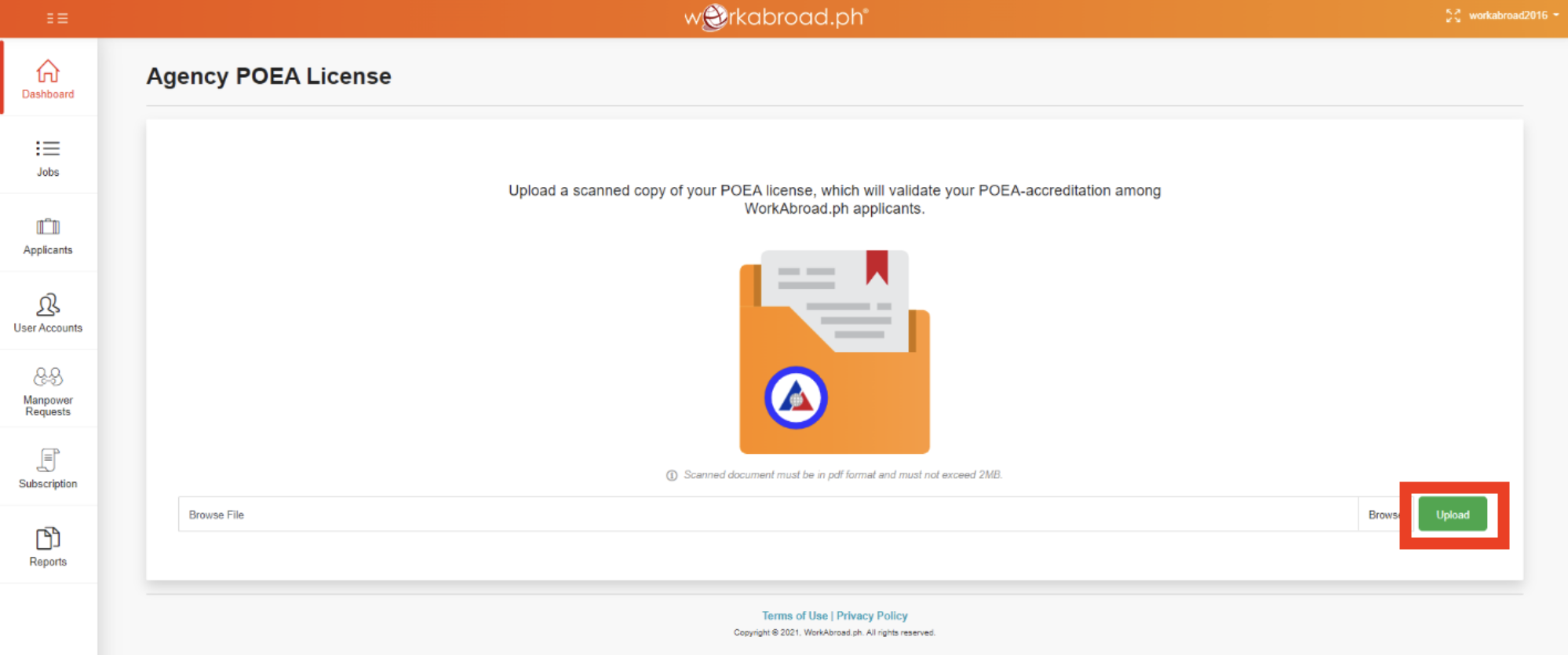
2. Click 'Browse' and select the file from your computer.
3. Be sure to click 'Upload' once done.
4. To update the current uploaded license, click 'Update License' and upload a new one.
5. Click 'Remove License' to delete the record. Confirm the action by clicking 'Ok' in the question prompt, and 'Cancel' if otherwise.
