What is Hirers’ Recruitment Dashboard?
It is an easy-to-use online platform for you to create your job advertisements, manage your online applications, and source for candidates and potential partner employers.
Let’s take a look at the key functions of your Hirers’ Recruitment Dashboard (HRD).

1. Account Settings – edit your Agency Profile, Branch Offices, Agency Logo, DMW (formerly POEA) License, Account Details, and Sign Out.
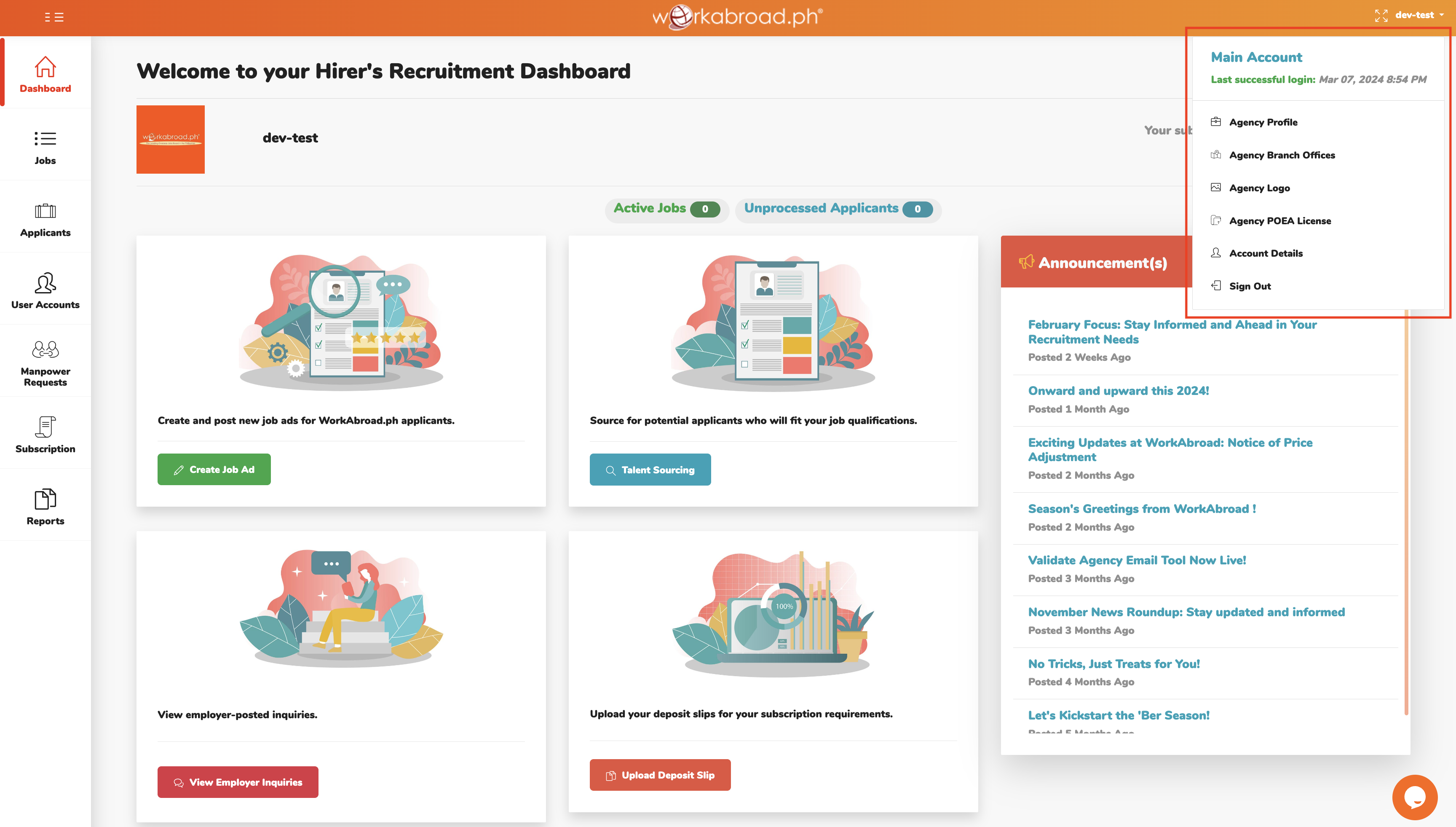
- Agency Profile – add your agency information and map
- Agency Branch Office – add your branch offices to increase your company visibility
- Agency Logo – upload your company logo for brand identity
- Agency DMW (formerly POEA) License –upload your DMW (formerly POEA) license which will be displayed in your agency profile
- Account Details – update your login credentials and basic user information (eg. Name, Email, Mobile Number, and Designation)
- Sign Out – log out of your account
2. Agency Logo and User ID – displays your agency logo and login ID.
3. Subscription Validity – reflects your current subscription expiry.
4. Active Jobs and Unprocessed Applicants – displays your total open jobs and unprocessed applications.
5. Create Job Ad – create and post your job advertisements.
6. Talent Sourcing – proactively tap potential candidates from WorkAbroad database.
7. View Employer Inquiries – search for potential partner foreign employers who need Filipino workers for their company.
8. Upload Deposit Slip – shortcut to upload proof of payment.
9. Announcements – be updated with WorkAbroad’s latest news and trends about overseas recruitment.
10. Menus – tabs to access HRD’s features.